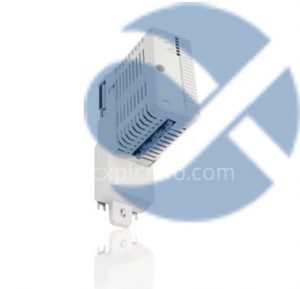
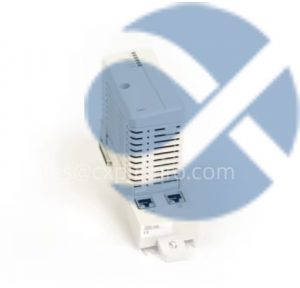
ABB CI853 – Dual-Port PROFIBUS DP Interface with Hot-Swap and Diagnostics Support
In industrial automation, PROFIBUS DP (Decentralized Peripherals) remains a cornerstone for real-time data exchange between controllers and field devices. However, traditional single-port PROFIBUS interfaces often struggle with redundancy requirements and maintenance challenges. ABB’s CI853 module addresses these pain points with its innovative dual-port design, hot-swap capability, and advanced diagnostics, making it a game-changer for mission-critical applications. This article explores the module’s technical features, real-world applications, and best practices for deployment.
1. Core Features: Redundancy, Flexibility, and Diagnostics
1.1 Dual-Port PROFIBUS DP Interface
The CI853 module features two independent PROFIBUS DP ports, enabling seamless redundancy in industrial networks. Unlike single-port solutions that require manual intervention during failures, the CI853 automatically switches to the secondary port if the primary port fails, ensuring uninterrupted communication. This design is particularly beneficial in industries like chemical processing, where even a momentary communication loss can lead to costly production disruptions.
In a petrochemical plant in Germany, the CI853 was deployed to connect distributed control systems (DCS) to field devices such as valves and sensors. The dual-port configuration eliminated the need for redundant communication cards, reducing hardware costs by 30% while improving system availability.
1.2 Hot-Swap Capability
The hot-swap feature allows the module to be replaced or upgraded without shutting down the entire system. This is achieved through careful design of the power supply and signal paths, which remain active during module replacement. The module also includes a “hot-swap indicator” LED to confirm safe removal.
A power generation facility in Sweden utilized this feature during a scheduled maintenance window. Technicians replaced the CI853 module while the system continued to operate, avoiding a planned shutdown that would have resulted in significant revenue loss.
1.3 Advanced Diagnostics
The CI853 integrates comprehensive diagnostics, including:
PROFIBUS DP Link Status: Real-time monitoring of communication quality.
PROFIBUS DP Error Counters: Tracking of CRC errors, framing errors, and other communication issues.
PROFIBUS DP Data Rate: Monitoring of actual data transmission rates.
PROFIBUS DP Device Status: Identification of connected devices and their operational status.
These diagnostics are accessible through the module’s integrated web server or via ABB’s System 800xA automation platform. In a water treatment plant in the Netherlands, the diagnostics helped identify a failing PROFIBUS repeater before it caused a communication outage, enabling proactive maintenance.
2. Real-World Applications
2.1 Chemical Processing
In a large chemical plant, the CI853 module was used to connect PROFIBUS DP field devices to the plant’s control system. The dual-port design provided redundancy for critical control loops, while the hot-swap capability allowed for seamless module upgrades during planned maintenance periods.
2.2 Power Generation
A power plant implemented the CI853 to interface with turbine control systems and safety devices. The advanced diagnostics helped reduce troubleshooting time by 50%, significantly improving plant availability.
2.3 Oil and Gas
In an offshore oil platform, the CI853 module’s robust design ensured reliable operation in harsh environmental conditions. The hot-swap feature proved invaluable during maintenance activities, minimizing downtime.
3. User Testimonials
3.1 Chemical Plant Engineer
“The CI853’s dual-port design has been a lifesaver for us. We’ve experienced several communication failures over the years, but the module’s automatic switchover has kept our production running smoothly.”
3.2 Power Plant Maintenance Manager
“The hot-swap capability has revolutionized our maintenance approach. We can now replace modules without shutting down critical systems, which has saved us millions in lost production.”
3.3 Automation Consultant
“The diagnostics are incredibly detailed and user-friendly. They’ve helped us identify issues before they became critical, reducing our troubleshooting time significantly.”
4. Best Practices for Deployment
4.1 Installation Guidelines
Ensure proper grounding and shielding of PROFIBUS cables to minimize electromagnetic interference.
Use high-quality PROFIBUS connectors and terminator resistors to maintain signal integrity.
Follow ABB’s recommended mounting procedures to ensure optimal heat dissipation.
4.2 Maintenance Tips
Regularly check the module’s diagnostics indicators for early signs of potential issues.
Keep spare modules on hand for quick replacement during maintenance activities.
Follow ABB’s recommended procedures for module replacement to ensure safe operation.
4.3 Troubleshooting Advice
Use the module’s diagnostics to identify the root cause of communication issues.
Consult ABB’s technical support for assistance with complex troubleshooting scenarios.
Consider using ABB’s PROFIBUS network analyzer for detailed network analysis.
5. Conclusion
The ABB CI853 PROFIBUS DP interface module represents a significant advancement in industrial communication technology. Its dual-port design, hot-swap capability, and advanced diagnostics provide unparalleled reliability and flexibility for mission-critical applications. By incorporating this module into their automation systems, industries can achieve higher availability, reduced maintenance costs, and improved operational efficiency. As industrial automation continues to evolve, solutions like the CI853 will play a pivotal role in ensuring seamless and reliable communication between control systems and field devices.